Wednesday, December 9, 2020

Formative Assessment using Quizizz

Formative assessment during distance learning has not been the most straightforward task to accomplish. I've been searching for formative assessment strategies that improve and guide my instruction and student learning. Let's get real. Daily formative assessment is challenging. It takes time, a little thing that we lack as teachers, especially online. But it is so worth it! If you use formative assessment, review the data, and use it to help guide your instruction, you will see instant results with student learning and success in your classroom. Secondly, we all know that student engagement is a hurdle that we all continue to face. Why are these our struggles? One – The lack of physical proximity. We are not able to get instantaneous feedback on the effectiveness of our teaching delivery. Two – One cannot control the student's house's environment to ensure 100% attention to the virtual class.


Today I'm going to share my favorite "techy" formative assessment/engagement resource with you that has made my life so much easier. 
Quizizz!

Quizizz is an easy way to make formative assessments exciting and engaging for your class. It is very similar to Kahoot, but it has a little more flexibility and versatile usage options. The difference between Kahoot and Quizizz is that Kahoot must be teacher-led, and kids see the questions and answers on the board and use their devices to select an answer. Quizizz, on the other hand, can be self-paced, and the students will see the questions and answers on their own devices.  

How does Quizizz work?
Teachers log into Quizizz http://quizizz.com/signup with their Google account and view a library of public quizzes. You can search for quizzes by the name of the subject. One of the coolest parts about Quizizz is that you can search for premade quizzes or create your own. Why re-create the wheel when someone has done the work for you!? When you log in, you default to the public section, which allows you to search. 

Then hundreds of quizzes about your topic will pop up. Once you've picked a quiz, you can conduct it in class in live mode or assign it as an asynchronous activity for students to practice on their own time. I share the link with my first graders via Lanschool, and they can immediately join the quiz.  

My favorite feature is the questions can be asked in various ways from multiple choice, checkbox, fill in the blank, poll, or open-ended.   


Here are the reasons I choose Quizizz above other quiz apps.

1. Students can view questions on their computers


Here's why I think this matters

  • My students don't have to switch between my screen and theirs during this activity, eliminating students from accidentally logging off.
  • My students are engaged directly with the question and answer options that reinforce the content taught to make it easier to read and allow students to enable device-level read-aloud if they need it.

Image for post


2. My students can join the link and skip the code entry step to save time and sanity. Just click on "share via" on the join screen to generate a join link.
  • I share this via Lanschool, and my students can join with a click instead of asking me to repeat the code out loud several times.
  • If wifi issues are slowing someone down, my students can join the quiz after it's begun.
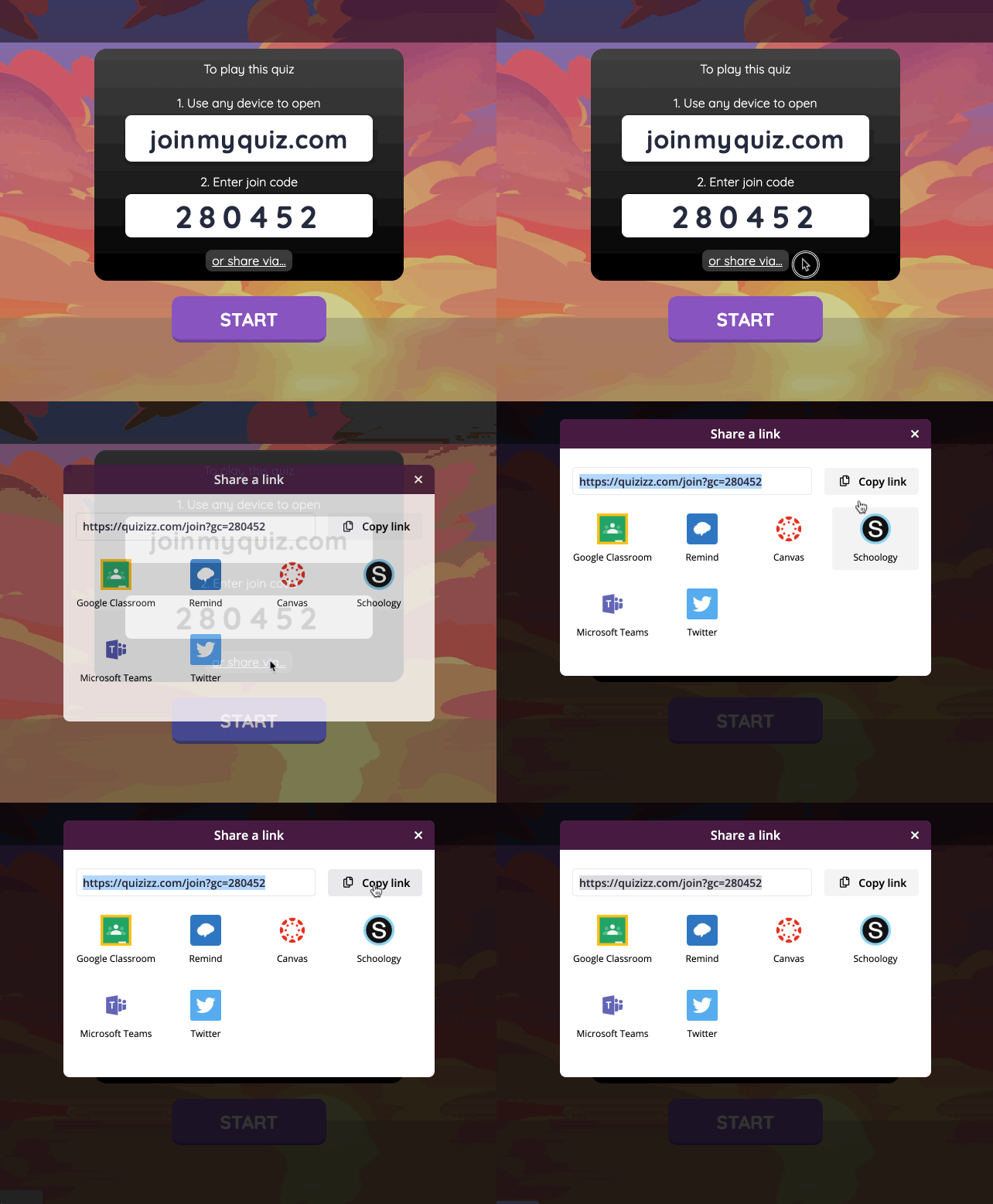
Image for post


3. I can quickly bring the attention back to my screen to review results together during or at the end of the entire quiz. 
  • I can choose from various settings like whether to show the answers in-game or post-game, set a question timer, show leaderboard (which infuses competitive spirit and keeps students on their toes).  
  • During the quiz, students see the questions and answers on their screens. On your teacher account, you will see a leaderboard and each student's progress. You can choose to display this on the screen while the students are playing or only view yourself. 
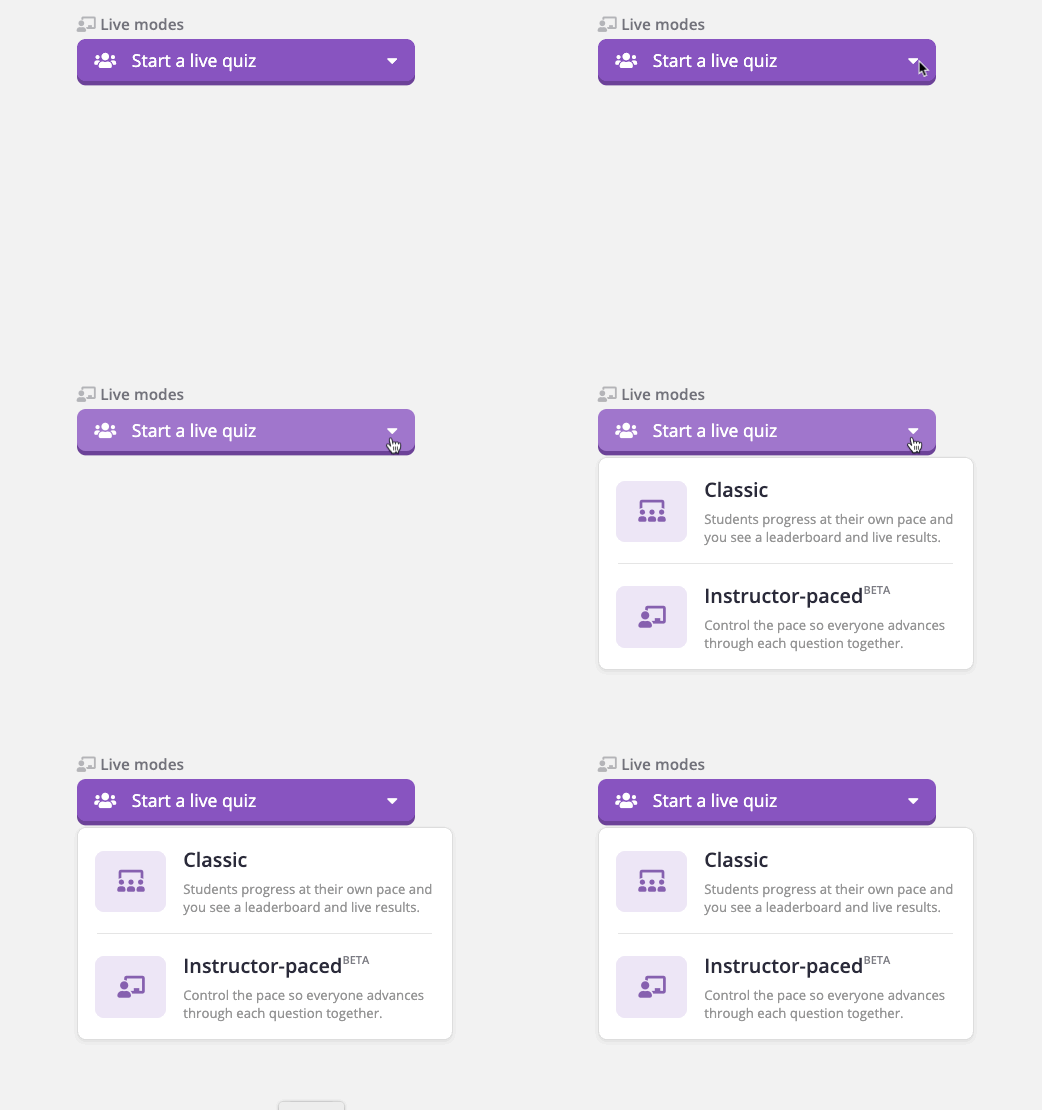
  • There also is an instructor-paced mode so that you can pause for discussion between questions.
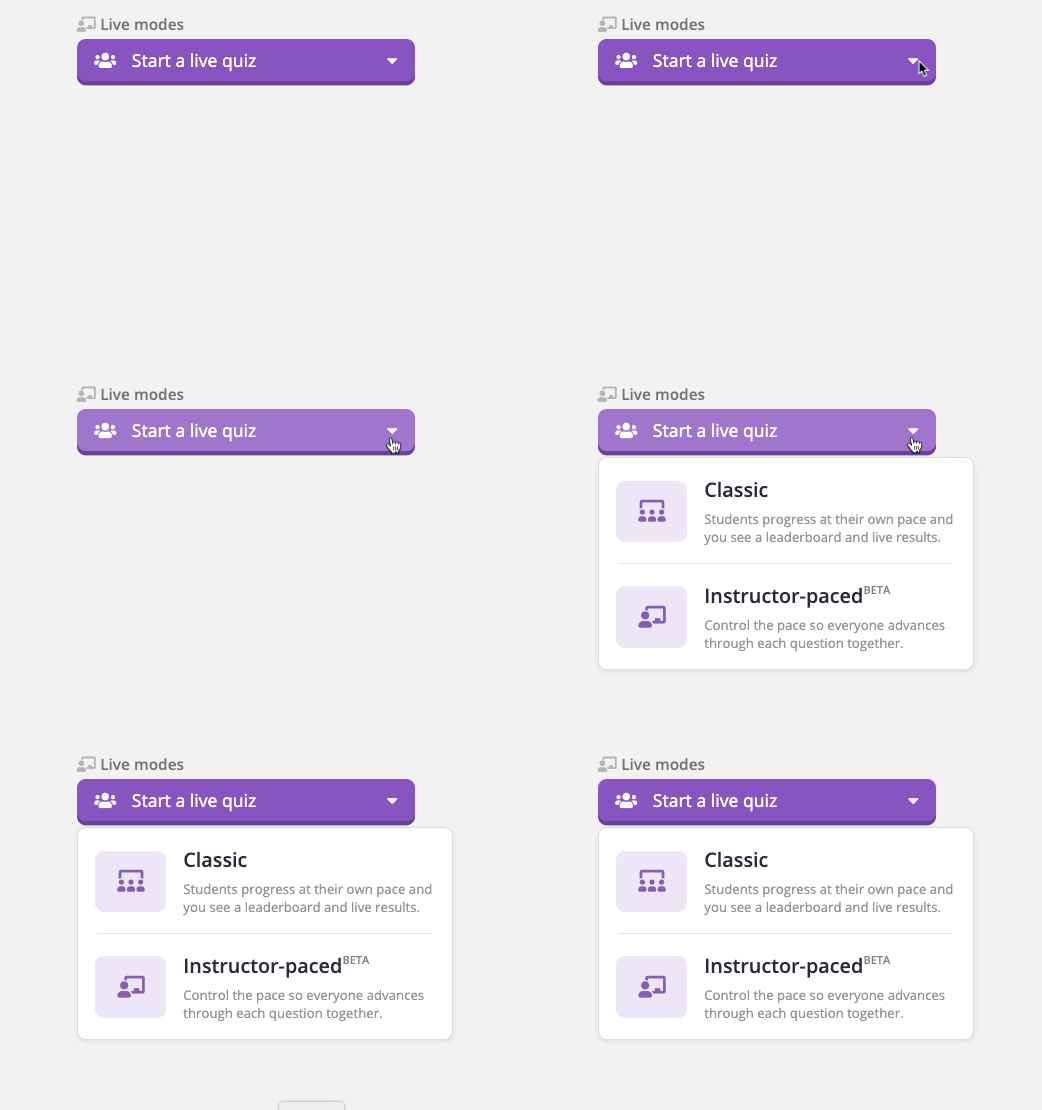
Image for post

Ideas to jumpstart your first Quizizz:


  • Start a discussion with a poll question.

  • Create a quiz based on an engaging audio or video clip.

  • At the end of a lesson, use an open-ended question to gather feedback.

Here is a quick video on my class answering a Quizzizz question...


Positively Teaching,  
Randi Muehlen

Tuesday, December 8, 2020

Forever in the Middle: Teaching grammar virtually


As any secondary ELA teacher knows, finding the time to teach grammar and editing skills to students is hard. There is SO much to teach and such limited time to teach it all. This year has been even harder with the shortened instructional minutes. i-Ready has lessons for a few of the standards, but not all of them. Also, Collections does offer slideshows called Grammar Notes, which are pretty interactive but there does need to be some preparation done to create accountability for students. After trying multiple approaches and not finding the results I was looking for, I switched to creating lessons through EdPuzzle.

What is EdPuzzle?
EdPuzzle has a large variety of created lessons from teachers but also allows you to upload a video of your own and create checkpoint questions during the video. The video will stop at these points and require an answer from the students. You can also select the option to prevent skipping ahead, which requires the students to watch the video before they answer the questions. 

How is this used to teach editing and grammar?
As an alternative to the traditional daily grammar warm ups many teachers use during class time, I have been creating videos for students to watch on Monday (our office day). The video is about 5-8 minutes long and presents sentences with errors then walks students through the editing process, as you would in the classroom. At strategic points in the lesson, students mark which changes should be made by answering multiple-choice questions. I record my videos then edit them to pause at the right moment to ask a question as I would ask in the classroom. Once students respond, the video continues and I discuss the right answer. 

Sounds good, but is it a lot of work?
Recording the video each week takes no more than 10 minutes and then adding it to EdPuzzle and creating questions is another 15 minutes. For a week's worth of grammar and editing practice in one day, it takes about 30 minutes of preparation. That's not bad, especially considering that EdPuzzle lets me know exactly how my students did with data reports. 

Data and Feedback
Before using EdPuzzle, I was meeting with students during Zoom and sharing the sentences to edit over the screen. I then gave them five minutes to complete a Google Form that asked questions about what needed to be added or changed in the sentences. After that time was up, we went over the sentence together. The problem with this was that it was difficult for students to see the edits as they were working independently on the Google Form unless they wrote it out for themselves as they worked. When students were using the EdPuzzle lessons, I have seen an increase of 30% in overall passing rates. More importantly, students have told me how helpful the videos are and that they feel like they are actually learning how to fix mistakes. That feedback is more meaningful than any information data can provide. 

This is all a continuous learning cycle and it has definitely been a learning opportunity for every single teacher. The good news is we made it through an entire semester this year and survived!

Keep the magic alive,


Kandyce Valverde
7/8 Language Arts
Witsey Middle School

Monday, December 7, 2020

Powerful Thinking Routines (That Work Online Too!)


I’ve said it before, and I’ll say it again: “Making Thinking Visible: How to Promote Engagement, Understanding, and Independence for All Learners,” written by Ron Ritchhart et al., is the best professional development book I have ever read. I was introduced to this book during a district book club in the spring of 2017. I love two things about this book: 1) how easy it is to use across disciplines and 2) that I can use various routines depending on the text I’m using and the thinking I’m hoping to foster within my students. Over the last three years, I have used each of the thinking routines multiple times. I use them so much that my students wind up learning many by name. 


During distance learning, not using these thinking structures has been frustrating for me because of how often I used them in the classroom. I thought about how I could virtually recreate the routines, but I couldn’t visualize how it would have the same impact. So, with the stress of everything else, I put this recreation on the back burner. Then, an educator friend then shared this article with me, and I was instantly excited by the possibilities. 


Since reading the article, “Support Online Learning with Powerful Thinking Routines,” written by Caitlin Tucker, I have been able to use a couple of the thinking routines in my virtual classroom with my students. Tucker took five routines and “created Google Slides for teachers to copy and use in an online learning scenario. Each slide deck focuses on a specific thinking routine and is designed to engage the entire class. That way, students can learn with and from each other.” Each slide deck has 30 copies of the same slide so that each student may work on their slide and have the ability to see what their classmates are thinking. The teacher may also share a particular slide with the whole class to showcase certain thinking. 


Here is the first thinking routine that I introduced to my students: 

Chalk Talk 

What? This routine helps students build understanding in a collaborative way by putting forward ideas, questioning one another, and further developing the ideas. 


How? I used Jamboard to do this with my students. I started with a question in the middle of the board and asked students to respond using a yellow post-it. They were given 2 minutes to add their initial post-it. Then, I gave them two minutes to read over their peers’ answers. I invited them to reply to one of their classmates’ thoughts with a green post-it. On this green post-it, they could question their peers, agree with them, or challenge their thinking. Finally, I asked students to read through the post-its for the third time
and respond to an original post or question in a pink post-it. 

When? Over the last two weeks, I’ve used the chalk talk routine three times with each of my classes. We’ve used it with an SEL lesson (pictured), an ELA writing brainstorm, and a reading discussion. My next step with this routine is to have multiple questions on different slides of the Jamboard for students to choose which questions they’d like to answer. 


What students think? One student said that she loved how this routine “forced her to read her classmates’ thinking.” Overall, I felt that my students were more engaged than our typical lessons, and I felt like my old teacher-self, which puts a smile on my face. 


Jenni Merry 

Thursday, December 3, 2020

Trying to Add Some Normalcy During Abnormal Times

 In my last blog post, I explained how my kindergarten team is distributing materials weekly to our students.  This gives me an opportunity to see most of my kids in person every Friday, even if it is to just wave through the window.  They  know if my door is open, then they can call for me and I will come over and have some small talk (masked and from a distance, of course).  They look (from the door) in wonder around the room  they so desperately want to be in every day.  They smile with delight when they see their projects or anchor charts we created together via Zoom on the wall.

Having the students pick up materials weekly allows for me to ask for projects to be returned.  I have been faithfully decorating our classroom with their work.  In fact, I never not considered doing this, even though the students aren't physically there to see it regularly.  Doing this simple act provides me with a bit of normalcy in these very abnormal times. At any time, I can glance around and smile at the absolute sweetness that is my students' work. I also have their photos I took on orientation day on my main wall.

There have been a few adult visitors to my room that are taken aback that I have posted so many things on my walls, that it got me thinking that maybe other teachers are not.  So, if you are one of those teachers I would highly encourage you to do  this, if you can safely. I truly feel that walking into my classroom each day seeing my students' creativity brightens my mood.


Here is a Shape Monster project we did in October.  The students chose their shapes, colors, and presented their monster in Seesaw.  I attached the QR code from Seesaw on each one so I could so I could see them present their monster at any time.

 Watch the video for the above monster. It is heartwarming. ðŸ’–


These are the circle maps we made for each letter of the alphabet during the first 26 days of school.  I bring them down when we do more in depth studies of the letters and sounds.


Each student painted their own personal representation when they came to campus in person for assessments.


Here is a letter project students completed at home. Each student chose a letter, drew pictures that go with their letter, and presented their letter project in Seesaw.


Here are some class charts we made together, à la Chicka Chicka Boom Boom.


Successful Students via AVID.


Names with beans.


I really hope you consider adding student work to your walls, if you are able to.  Even though I do not get to be with them physically in our classroom, I feel they are always there with me.


Happy Virtual Teaching!

Erin Grebel


Tuesday, December 1, 2020

When Life Gives You Lemons Make Lemonade!

I was recently privy to one of my husband's weekly work meetings. Like many companies nowadays, the company is global--bringing together people from widely differing backgrounds and educational experiences into a virtual environment where current issues can be addressed and resolved.  Like a fly
on the wall, I listened, from the perspective of an educator, to how he and his colleagues engaged with one another and what the subject of their conversation was. What skills had become "second nature" to this group of adults that I could intentionally teach to my students? I discovered that their seemingly run-of-the-mill conversation was actually a treasure trove of useful information that had short-term and long-term classroom applications. I concluded that, whether intentionally or not, in many ways, remote learning is preparing our students for their future by reinforcing life skills; some of these have historically been a part of our unwritten social skills curriculum (i.e. classroom rules/etiquette) and some have emerged thanks to our new normal. Even in the midst of a worldwide pandemic, teachers are still turning lemons into lemonade! Here's how:

1) Our students are learning to listen carefully and speak when it is appropriate. It can be difficult on Zoom to determine when someone has finished speaking, especially without those physical cues that we are accustomed to in our "real" classroom. As a consequence, unintentional interruptions are unavoidable. Therefore, I've introduced my students to responses such as:

  • I'm sorry for interrupting.
  • My apologies. I didn't realize you were still speaking.
  • Oh, pardon me. Why don't you go ahead and share first?
2) Our students are learning the importance of creating and maintaining a "professional" workspace. Creating a viable workspace enables students to mentally prepare for the day's work. 

3) Our students are realizing that even though they are "Zooming" from home, they still need to dress in a suitable manner. I won't wear my pajamas if you promise not to wear yours.

4) Our students are learning to stay on topic. Birdwalking is neither a college nor a career readiness skill, but knowing how to add pertinent and meaningful input to a conversation, via chat, Flipgrid, or otherwise, is integral. 

5) Our students are learning to become self-aware. Students need to be especially self-aware during an asynchronous work time when their teacher isn't there to assign a break. Students need to ask themselves questions such as:
  • Do I need to give my eyes a break from the computer?
  • Do I need to stretch?
  • Do I need a restroom, water, or snack break?

As educators, we know that the intention of our Common Core State Standards is to ready our students to successfully attend college and/or begin a career. I would argue that this time of remote learning is positively benefiting them in ways we perhaps have not considered. Is this the ideal situation? Of course not. I miss the old days. That being said, the half-empty glass of lemonade can also be seen as half-full. 

Still Making Lemonade,


                                                                        Lola E. Jollie


Tuesday, November 17, 2020

100% Engagement with Whole Brain Teaching (Virtually)

 What is the burning question for educators in 2020 and beyond?  Easy…HOW DO WE KEEP OUR STUDENTS ENGAGED DURING DISTANCE LEARNING?  There are a multitude of virtual platforms we can use to engage our students:  Nearpod, Peardeck, Padlet, FlipGrid, Jamboard…the list goes on and on.  These platforms are phenomenal and I would have a hard time teaching successfully during distance learning without them, they engage our students and allow for a degree of collaboration.

 BUT, if you’re looking for 100% engagement while supporting your students’ social-emotional growth, I have the answer for you…WHOLE BRAIN TEACHING!

“Tell me and I forget, Teach me and I remember, Involve me and I learn”  Benjamin Franklin

Whole Brain Teaching is based on neuroscience research indicating that learning is not one-dimensional.  Whole Brain Teaching engages multiple areas of the brain while allowing students to engage in active and authentic learning experiences, while activating prior knowledge and integrating new information.  By incorporating hearing, seeing, speaking, moving and reasoning students can create memories stored throughout the brain instead of just one area.

Enough about all the research, does it work?  YES, IT WORKS!  How do I know?  Because I use it, every day! My students are all participating, regardless of their learning style, learning ability, or background.  This learning empowers the students, they feel successful and they are motivated.  I looped this year with my kiddos (meaning I moved up with them from 1st to 2nd grade).  I have seen amazing growth and retention of concepts previously taught with whole brain teaching techniques from first grade.  I have been able to take my students into a deeper understanding of concepts because they have retained the basic skills taught to them last year.  I have even witnessed my students using the phrases, gestures and movements to walk themselves through questions while taking online assessments. 

So, are you ready to try it out in a very simple fashion? Here’s how to implement the Whole Brain Teaching Basics during VIRTUAL LEARNING:


1.  Attention Getters, or Class Calls:  Whole Brain teaching uses the call “Class-Yes” with adorable variations such as “Classity Class-Yessity Yes.”  In these examples, a teacher says the first part, such as “Class” and students respond chorally with the second part such as “Yes” and immediately put their eyes and ears on the teacher.  I use these, but I also use a variety of other Class Calls that get my students attention based on what we are learning.  I use “Choose-Love” and they give me the “heart” sign with their hands, “Are you ready?-Yes We Are!,” “Spotlight, spotlight-Shine, Shine, Shine!”  Pick the ones you love and that work for you, the bottom line is if you don’t have their attention, they’re not learning.  They need to know that when you call the, they stop what they are doing, unmute and respond with their call, have “EYES AND EARS” on you and  “Frame Up,” which means their faces should be in the frame of their square on Zoom.  Once they unmute to respond, they immediately go back on mute and they are all immediately paying attention.


2.  Brain Engager, Mirror Words: This is when you are using the gestures to engage your students’ motor cortex and visual cortex of their brains, amplifying their learning.  The teacher says, “Mirrors On” or "Mirror Words" and puts his or her hands up, the students mimic the teacher.  The teacher then creates hand and body gestures to go with the concept or key learning. The students mimic each set of gestures and words.  Do what makes sense to you, and what you can remember from time to time (because if you forget, your students will most definitely call you out).  Each set of words should have a gesture.  Be silly, be creative, the kids will love it…and remember it!  At this time, the kids should be muted because they all need to hear you and practice the movements.  When finished, the teachers says “Mirrors Off” and puts his or her hands down and the students mimic this as well.  I have found this must be repeated a few more times than if we were in person.  After all, we are in a virtual world.


3.  Direction Instruction, Lesson Chunks:  This is important!  You are teaching or presenting one new point at a time while using Mirror Words.  You chunk the lesson so it is not overwhelming and so the students can remember the key points.  The idea is that the more you talk, the more kids you lose, ESPECIALLY ONLINE!  Mirror Words should no more than one minute long for the students to be able to retain the information. This is the direct instruction part of your whole brain teaching where you are actually teacging parts of a concept.  The chunks online need to be hand motions the students can see, I often practice in Zoom before the students come on to make sure my hand motions are in the screen and can be easily seen.


4.   Collaborative Learning, Teach-Okay:  Now it’s your students turn to be the teachers, and they will LOVE to do this, they cannot wait!  You are activating your students’ Broca area of the brain as they teach others, Wernicke area when they are listening to their partner, and Limbic system when they feel success and happiness with learning.  You clap your hands twice and say “Teach” they clap their hands twice and say “Okay.”  In the virtual world, they can turn to an imaginary partner, a stuffed animal, a sibling, or my favorite, a partner from the class that they see on the screen.  They then “teach” the same quick lesson you just taught with a lesson chuck during Mirror Words, gaining confidence as they proceed.  In person, they will learn to take turns “teaching” but virtually, since we are all muted, they will continue to teach until you call the students back to attention. You can choose to have one child unmute and be the “teacher leader” at this point, guiding the class through Mirror Words and Teaching the lesson. 


5.  Internalization:   How can you tell if they’ve internalized it?  They will begin paraphrasing the lesson, putting it into their own words or adding their own gestures.  This is great, encourage this!  To do this, put them in a quick breakout room with 1 other partner.  My students are assigned a number and letter (think Kagan), so I will quickly tell them which letter goes first.  I put them in a breakout room, and they take turns “teaching” each other the concept.  This is how I can simulate partners as if we were in class.  I pop into breakout rooms to monitor and help as needed.  When we return, I will always point out creative ideas, add-ons, or new synonyms used to make the learning their own. 

Here is a quick video of my students virtually using Mirror Words, Chunking, and Teaching-Okay with an Attention Getter at the end.  


That’s it!  It’s not hard, but the benefits are enormous!  The whole process doesn’t take very long.  Students at all grade levels enjoy this.  They can take ownership of their learning and they can feel successful.  Watch my spotlight videos for tricks and tips on how to incorporate Whole Brain Teaching into virtual learning in order to get 100% engagement!


Teaching with my WHOLE BRAIN,

Roni Weink

Math Academic Vocabulary Use In A Low Risk Activity - Desmos


I have struggled these first 70 days of school trying to find a routine that works for me – planning a lesson, developing the lesson, implementing the lesson and reflecting on the lesson.  Now, to do that for three different classes was at times overwhelming.  I have come to find a routine that works for me – I hope that you have as well.  Remember, no one can tell you that you are doing it wrong because no one has been in this situation before – so find a routine that works for you and your personal life.


After finding a routine, I then was able to try and refine my lessons so that I could engage my students in a better way.  Some days are better than others, of course.  As I develop ideas for engagement I do try and keep myself grounded to a few common agreements.  One, is the idea meaningful and relevant to my students?  Two, is it tied to the state standards?  Three, can I use the idea next year when we return to in class instruction?


One engagement tool I have found useful is called Desmos.  It is a tool for 7th and 8th grade Math.  Desmos allows the teacher to view in real time student responses and accuracy.  Desmos has activities that are aligned directly with Eureka Math in certain modules.  There is also a large bank of teacher created Desmos Activities that can be used or you can create your own.


The one activity I want to mention today is called ‘Polygraph.’  It is a low stress activity that every student in the class can do and give teachers data on each student.  I use this activity at the beginning of a unit and at the end of a unit – to gather data on students’ academic vocabulary use.  It is great to see the growth students exhibit at the beginning of the unit with no formal academic vocabulary given to the end of the unit where students have been exposed to the proper vocabulary.


In ‘Polygraph’, students are randomly paired with another student in the class.  One student selects one slide from a group of different slides.  The other student asks yes or no questions to properly identify the slide that was chosen.  The first student can only click ‘yes’ or ‘no’ after the question is posed.  While this question and answer time is happening, the teacher can in real time monitor what each student is asking.  This can be useful because the teacher can pause the activity at any time and give praise to good questions and the words being used.  At the end of the activity, the teacher can review what each pair of students asked to informally assess the use of academic vocabulary.  And at the end of the unit, the teacher could revisit the activity to see the growth in academic vocabulary use.


Students find this activity to be low risk and challenge themselves to complete as many ‘games’ as possible in the allotted time frame.  By the end of the unit, students use more precise language in their questions and usually when they rate themselves find that they are better at the use of mathematical academic language.


Below are some screenshots of the Desmos activity I used in 7th grade last week to start the unit on Unit Rates and Proportional Reasoning:


Students choose one of these cards:


Teacher view of what students are asking in real time:


 Here is a link to a bank of Desmos Activities that you can use in your math class.

 https://sites.google.com/site/desmosbank/  also  https://mtbos.org/desmosbank/


Again, there is no right or wrong way you are conducting your class – find a routine that works for you and then start to try some small new engagement activities in your lessons.  I do wish each of you much success and peace of mind during these difficult times.  Please reach out if you have questions about Math 7/8 – I will do my best to offer my thoughts as I too struggle with finding all the right answers during this time.

Finally, give yourself 'grace' during these difficult times and if you are giving yourself 'grace', then give yourself more,


Kevin Stott

De Anza Middle School

Math 7, Math 8, Integrated Math I

Friday, November 13, 2020

Maximize your online instructional time.... Transitions will not be the death of you!

I wait until all the families walk out the door before I take a long deep sigh! As I stand at the front of the empty classroom, I hope that I don't become accustomed to this setting. Many unknowns would present themselves this school year, but I was just thankful that orientation was successful and all students had received their materials to be successful for the next day-the first day of school! Like a kid on Christmas, I was anxious to teach my students and expected responses such as "I didn't get that.", "My mom has the folder. Can I go get it?" "What book?" or "I can't find that. " when I asked to get a resource. However these same phrases are the ones I heard for the next week or the week after that or "Can I go grab that its insert any other location than their learning space here.
While my kids saw a patient teacher I was being haunted by the lost instructional minutes whether it was mid hour transition or a transition right after break. I already felt like I was teaching the bare minimum with all the technology bumps, and I was torn between waiting and starting. How is this even possible?  I would think to myself. At orientation I explained the importance of having all materials ready. I even placed all their books in their own personal box and any loose items in a Ziploc bag for each student. Until one day I decided to do a few more changes and this time it stuck! With these few implementations - lost instructional minutes were no longer a thing and my students and I could now truly flow through the day. 


                                                         Adjusting your schedule 

Schedule before adjustment
Schedule after Adjustment
I'm sure you just cringed when you read the heading. I'm sure you rearranged your schedule countless of times. How do I know? Trust me because I did do. I would find my self writing 5 or 6 mock schedules just to find a way to fit in this activity or that or how to get another 5 minutes. The problem was I was trying to find more time instead of maximizing the time I had. So I had to take out activities that were taking longer that I wanted and embed them a different way. I had to readjust not only what was best for me, but also my students. Being in 3rd grade, I had to realize they weren't tech savvy as my 4th or 6th graders and in reality they were still 2nd graders. So even though we are learning online don't forget to give yourself grace if it takes some time to integrate more online platforms. If you are transitioning in between a block with no breaks, consider splitting up your blocks so each block students are only focusing on one subject. For example, for my 9:10-10:10pm block I had 30 minutes of ELA and then 30 minutes of Math, but I was losing minutes between the transition. So I changed the whole block to be just ELA and that way students only needed to have their ELA materials out (which was already a lot). This helped out so much because instead of having students navigating between 8 books in all ( Wonders curriculum and Module curriculum consumables) they only had to worry about the Wonders books and that seemed more manageable. IF you simply cannot do this - embed a transition timer into your hour of 2 minutes or so and minimize your break time by that amount. 


Use a Google Slides Timer 

Picture of my Eureka Math transition google slide
5, 4, 3 2, 1... Great Job Jaime gets a point! Alex gets a point! This was me in the classroom and it worked like a charm. Granted you can do the same thing on zoom, but it just isn't the same. If I get to 1 and Sally is still scrambling to find her book or is out of the camera shot running around the house that does me no good. So what n
ow? I would say the same thing every day - grab this, grab that, make sure to use the restroom. Since my transitions happen after breaks this works perfectly. Now I'm saving my voice by creating a google slide that has all the information I would say for any occasion. It has visual reminders to turn off the mute and video buttons. A visual of what materials need to be ready when they return and even reminders to use the restroom and grab a quick snack.  What's great about this?  Since they have a visual timer, students don't have to keep running to the screen to check to see if you are on. If parents walk past their screen they know that they are on a break and aren't goofing around and can support with gathering materials. The best part is holding students accountable when break is done. If they return and immediately have to use the restroom - they can't say that they didn't hear or you were frozen or glitchy and now if they have to run around their house to find that materials it's okay because its their time not yours! If you would like a copy of my transition slides click  HERE


Make Transitions Educational or Socioemotional 

Lets say your transitions happen mid hour what can you do? Something I have done is first I ask all students to hold up said materials and the student who doesn't have it they will stand up and go look for it. While that student is looking for it I will play a catchy math song that they can sing along to. Some other activities may be fluency for math (multiplication facts, vocabulary, etc). My personal favorites are from Numberrock Math Videos.  For English Language Arts (High Frequency Words or vocabulary). Yes that student may be missing out on this activity, but it wont be the anchor of your instruction and so knowing that provides a little relief. You could also do a fun Class building activity of Would you rather? A fun game where students decide what they would rather do. Which one doesn't Belong? A fun reasoning game where students look at shapes, numbers and objects to see which one is the odd man out. Greatest thing? Everyone could be right. This or That? Similar to would you rather, but a fun question that will help them make an ultimate decision. These little interactions will help you destress and focus less on the time and more on your student's interests. The best part? That kiddo who just seem to have their items ready will definitely not want to miss out!


Now the reality is that will these 3 steps solve all your transition problems? No, but its a start and that's a step in the right direction! Don't forget that sometimes things happen beyond our control, be it zoom issues or slow internet or whatever may seem to be going wrong, but hopefully these few steps will make you feel like you have just an ounce more control over this year. :)


                                                                    Lively Teaching,


                                                                    Jessica Magana


Most Viewed Posts