Showing posts with label formative assessment. Show all posts

Friday, January 28, 2022

Springing into Action: Maximizing Spring Growth

By Heather Pfrunder, M.A.Ed, SDC Teacher and Education Specialist

Jan 28, 2022


Post Winter Break is always the most exciting time of the year.   Students are in the FLOW of learning; all the pesky practices of getting used to the routines are out of the way and we simply get down to the business of learning.  It’s the time where we often see the bigger payouts for our efforts and strategies. It is also the time that can quickly get sandwiched between assessments and special projects.  However, careful attention to student progress monitoring can be the difference between meeting student goals/standards and leaving learning roll-over for summer school or the following fall. So, let’s get to it in three steps!  The following link is the organizer I have created for use.  Classroom Monitoring Worksheet How to use it is below.

**(Note: you will need to make your own copy of this document to edit it).


Step 1: Survey Student Skills

The first step seems the most challenging, but simply look at assessments and class work.  Summarize what you see and what you know from interacting with them.  Cover each basic aspect, where are they at? What objectives are they working on?  The sample I chose from my classroom is as follows: ELA: Phonics (or spelling), Sight Words (or Latin Roots), Reading Comprehension, and Writing.  For Math: Algorithms, Measurements & Graphs, Fractions & Decimals, Geometry, and Word Problems.  This may look different for your grade level or your teaching subject. Tweak what you need adjusted to match state standards and goals from your class/subject.


Step Two: Re-Organize Your Intervention Groups.

Students grow and their needs shift through the year.  Being responsive to that means that you are placing them in a place where they can collaboratively work and grow.  In the image above I have separated my students to look at what work I need them to accomplish.  However, knowing that some students may have difficulty interacting with particular individuals means my students will be regrouped differently despite ability - thus the penciled info!  Revisions are in progress!


Step Three: List and Review Your Resources

Listing out your current resources helps you to frame that every need is covered.
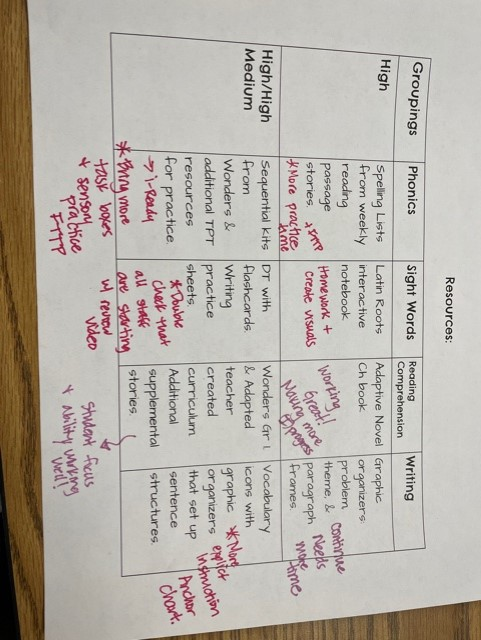


 The important part is reviewing what is working and what is not.  What could use more attention?  Why?  More interactive lessons?  More practice?  A different program or strategy?  Maybe time needs to be shifted to a particular skill.  Here I have added notes about more intervention time with Fast Track To Phonics, videos, revised anchor charts, homework opportunities, and notes to myself of what is working great (i.e. consistent progress at an appropriate pace). Now, it’s lesson planning time. 


Wishing you and your students AMAZING Spring Growth!!


Like what you read? Join me in upcoming blog posts where I continue to put these strategies into place and share resources!


Wednesday, March 10, 2021

Quick Checks for Understanding-Formative Assessment

Using formative assessment is a proven technique for improving student learning that works both in the classroom and virtually. Formative assessments are designed to check for understanding and provide students with feedback and support. They are one of the most effective ways to improve student learning. I understand that virtually, there is still a need to cover large amounts of information and develop many skills in less time than we are used to, but by not taking the time to check for understanding to ensure that students understand a concept or can effectively apply it, will hurt student achievement. 


 Thankfully, teachers can use practical formative assessment techniques as a quick "pulse check" to gauge students' understanding.


As teachers, we do not need to reinvent our traditional formative assessments completely; however, we need to modify them to work in our current situation. Formative assessments might feel harder now in a virtual setting- you can't monitor the room and look over a student's shoulder-but they do not have to be more challenging. Here are some techniques that can be applied across grades and subject areas in virtual, hybrid, and in-person learning environments.  


1. Show Me

Ask students to display a designated hand sign to indicate their degree of confidence in their understanding of a concept, principle, or process. Examples include:


  • Thumbs Up- I understand_______and can explain it in my own words.
  • Wave hand- I'm not entirely sure about____and I'm not sure I could explain it.
  • Thumbs down- I don't understand yet and cannot explain it.  
  • 1-3 Rating- Students can show you 1- Do not understand, 2- Kind of Understand, or 3- Fully understand.
  • Color system- Green-go ahead, I get it, Yellow-Still processing, or Red-Stop! I don't understand.


Self-assessment and self-reporting can be inaccurate, so use random calling to select students with their thumbs up and ask them to explain. Virtually students may also use designated emojis to signal their understanding. 


2. Choose One

Present students with a few choice statements or questions containing understanding or a common misconception and have them select a response (true or false, agree or disagree) via a poll, chatbox, whiteboards, or hand signal. This efficient technique is handy to check students' prior knowledge or potential misconceptions before beginning new instruction. Examples include:


  • True/False- E.g.-When dropped from the same height, a bowling ball will land before a marble.
  • Agree/Disagree- E.g., Is this an example of a noun?
  • Digital Journal-Google classroom or Seesaw- Students can respond individually to prompts like K-W-L or a 3-2-1 (3 things you found out, 2 things you found interesting, and 1 thing you didn't understand) chart.


3. Create It

A visual depiction, such as graphic organizers and concept maps, can be used. Students can create a visual representation of information and then explain their graphics. Virtually students can post their maps via Seesaw, Google slide, Nearpod, or Jamboard. Examples include:


  • Thinking Maps-Examples
    • Flow map- to show events in a story
    • Circle map- to show words with ____ sound
    • Tree Map- to organize phonic patterns with many spelling
    • Bubble Map- to show what plants need to grow
    • Double Bubble- to compare and contrast two stories
  • Collages, sketches, art, music, and/or drama to share their thinking
    • Write a poem or song.
    • Act out a chapter from a book.
    • Draw or paint the life cycle of a butterfly.


4. Troubleshoot 

One of the most productive and useful quick checks involves troubleshooting. Pose students with a common misconception or a frequent procedural error. See if they can:


  1. identify a flaw or error.

  2. fix the mistake.


Their responses will provide a glimpse of the depth of their understanding.


Examples:

  • Present a rough draft of writing/sentences and ask students to help correct grammatical errors.
  • Have students review a multi-step math problem, find mistakes, and correct them.
  • Place students in Breakout rooms with a partner with a rubric to evaluate each other's assignments and give each other feedback.  

5. Summarize 

Having students summarize what they are learning is an effective means of increasing comprehension and retention of new material and insight into whether students grasp essential ideas. Examples include:


  • What's the big idea? Type in chat, record on Flipgrid or Seesaw.
  • Record a one-minute video summarizing a story you read.
  • Type what you learned today and submit it on Seesaw or Google classroom.


6. Practice 

Understanding is revealed when students can transpose their learning to different situations. One of the best checks for knowledge is to see if your students can apply the material in its context. This involves having students create and/or solve new examples to illustrate the learned concept. Using the knowledge can also mean solving the same type of problems independently as an Exit Ticket. Examples include:


  • Create and have students solve "real life" word problems.
  • Locate an example of a concept learned.
  • Find examples in real life.
  • Eureka Math Exit Tickets


While these quick checks can provide valuable information about the effectiveness of teaching and student learning quality, they are not ends in and of themselves. This information should be seen as the first step in a feedback cycle. Then, the next steps are to act on that feedback-reteaching something that many students may not have learned, correcting mistakes that may be displayed, and/or providing scaffolded individual instruction to students in need. When students are given feedback, they have to be given opportunities to use it, such as revising, practicing, or correcting. This way, students can be assessed on revisions with progress noted, and new learning goals can be set.  


Positively Teaching,  
Randi Muehlen

Wednesday, December 9, 2020

Formative Assessment using Quizizz

Formative assessment during distance learning has not been the most straightforward task to accomplish. I've been searching for formative assessment strategies that improve and guide my instruction and student learning. Let's get real. Daily formative assessment is challenging. It takes time, a little thing that we lack as teachers, especially online. But it is so worth it! If you use formative assessment, review the data, and use it to help guide your instruction, you will see instant results with student learning and success in your classroom. Secondly, we all know that student engagement is a hurdle that we all continue to face. Why are these our struggles? One – The lack of physical proximity. We are not able to get instantaneous feedback on the effectiveness of our teaching delivery. Two – One cannot control the student's house's environment to ensure 100% attention to the virtual class.


Today I'm going to share my favorite "techy" formative assessment/engagement resource with you that has made my life so much easier. 
Quizizz!

Quizizz is an easy way to make formative assessments exciting and engaging for your class. It is very similar to Kahoot, but it has a little more flexibility and versatile usage options. The difference between Kahoot and Quizizz is that Kahoot must be teacher-led, and kids see the questions and answers on the board and use their devices to select an answer. Quizizz, on the other hand, can be self-paced, and the students will see the questions and answers on their own devices.  

How does Quizizz work?
Teachers log into Quizizz http://quizizz.com/signup with their Google account and view a library of public quizzes. You can search for quizzes by the name of the subject. One of the coolest parts about Quizizz is that you can search for premade quizzes or create your own. Why re-create the wheel when someone has done the work for you!? When you log in, you default to the public section, which allows you to search. 

Then hundreds of quizzes about your topic will pop up. Once you've picked a quiz, you can conduct it in class in live mode or assign it as an asynchronous activity for students to practice on their own time. I share the link with my first graders via Lanschool, and they can immediately join the quiz.  

My favorite feature is the questions can be asked in various ways from multiple choice, checkbox, fill in the blank, poll, or open-ended.   


Here are the reasons I choose Quizizz above other quiz apps.

1. Students can view questions on their computers


Here's why I think this matters

  • My students don't have to switch between my screen and theirs during this activity, eliminating students from accidentally logging off.
  • My students are engaged directly with the question and answer options that reinforce the content taught to make it easier to read and allow students to enable device-level read-aloud if they need it.
Image for post


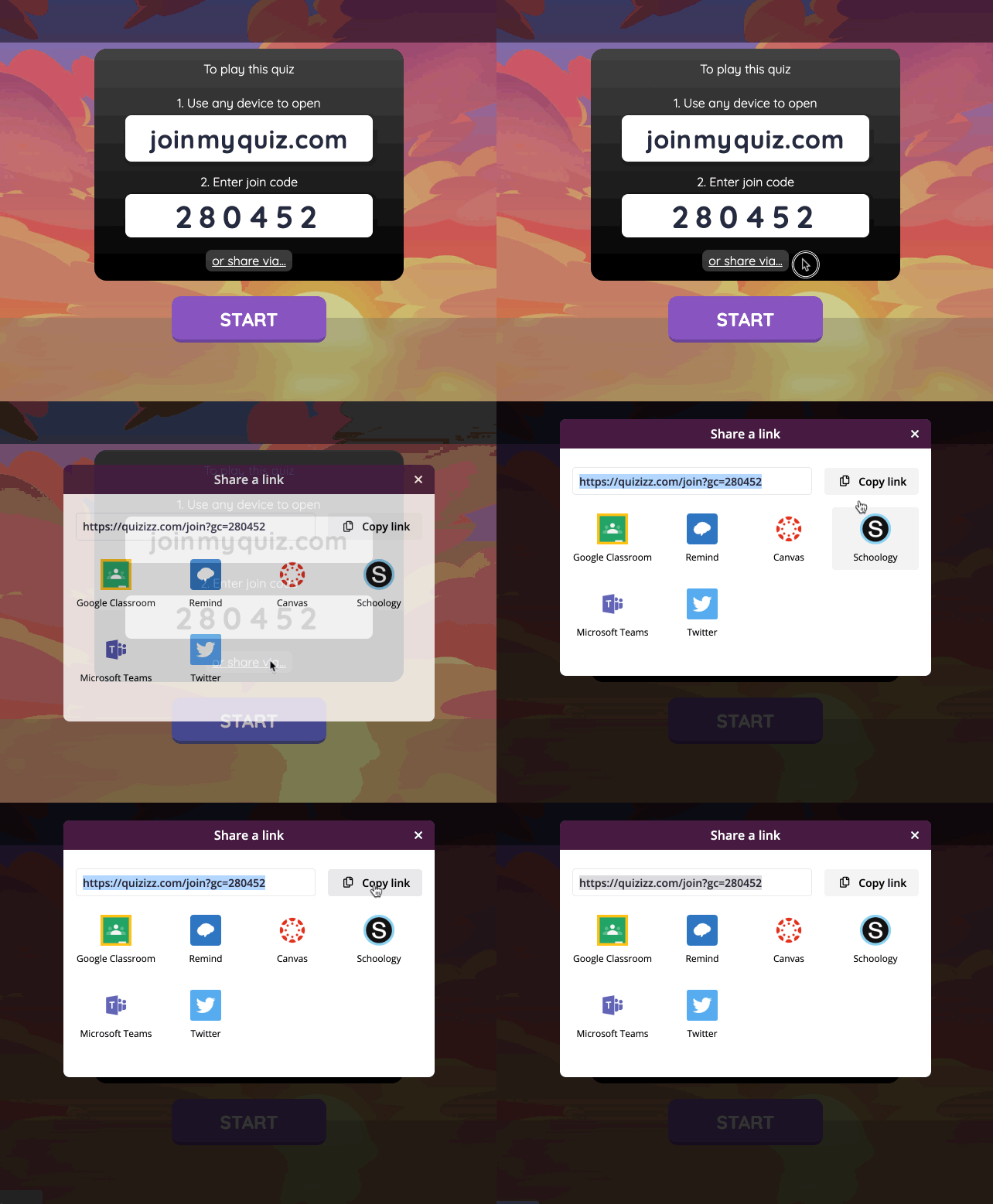
2. My students can join the link and skip the code entry step to save time and sanity. Just click on "share via" on the join screen to generate a join link.
  • I share this via Lanschool, and my students can join with a click instead of asking me to repeat the code out loud several times.
  • If wifi issues are slowing someone down, my students can join the quiz after it's begun.
Image for post


3. I can quickly bring the attention back to my screen to review results together during or at the end of the entire quiz. 
  • I can choose from various settings like whether to show the answers in-game or post-game, set a question timer, show leaderboard (which infuses competitive spirit and keeps students on their toes).  
  • During the quiz, students see the questions and answers on their screens. On your teacher account, you will see a leaderboard and each student's progress. You can choose to display this on the screen while the students are playing or only view yourself. 
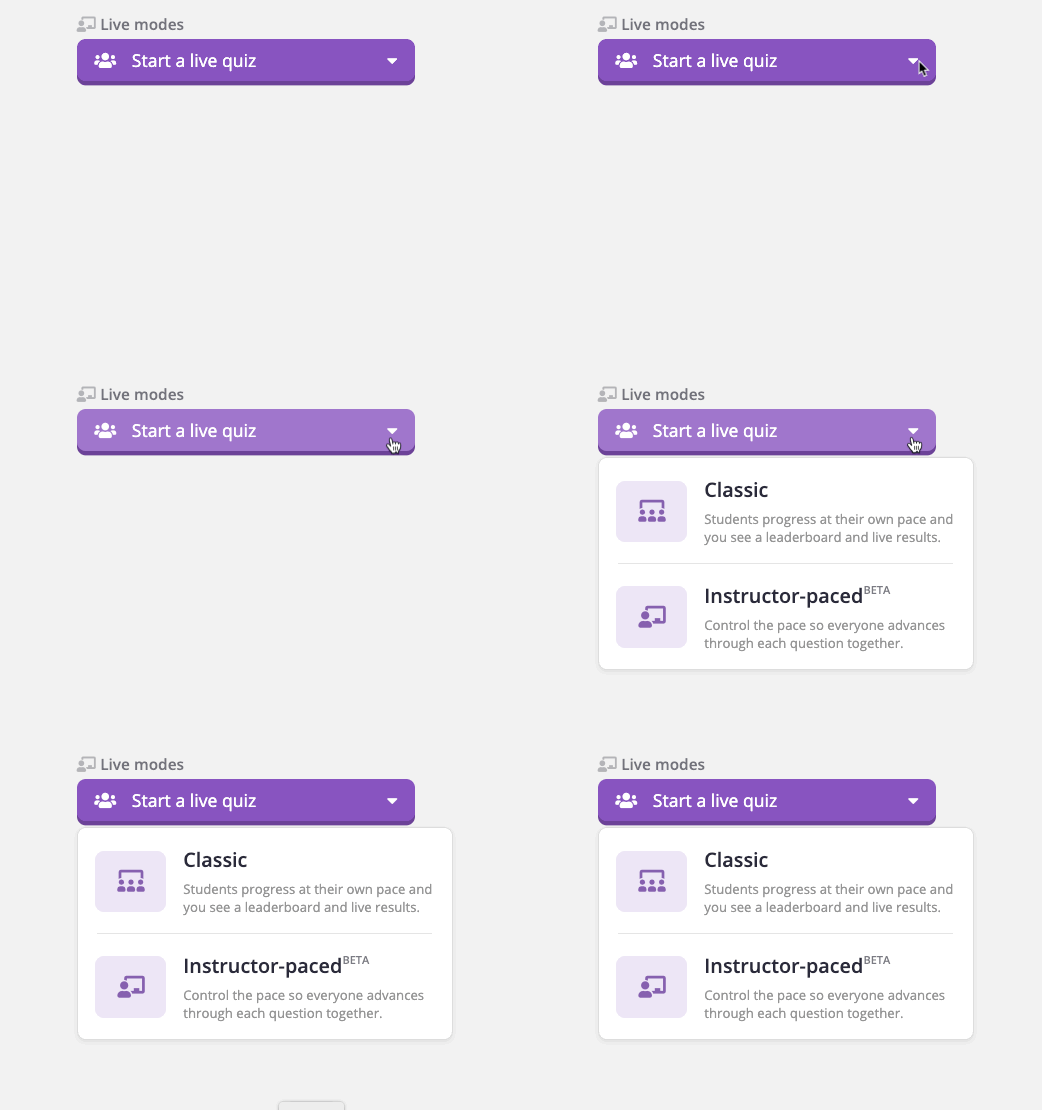
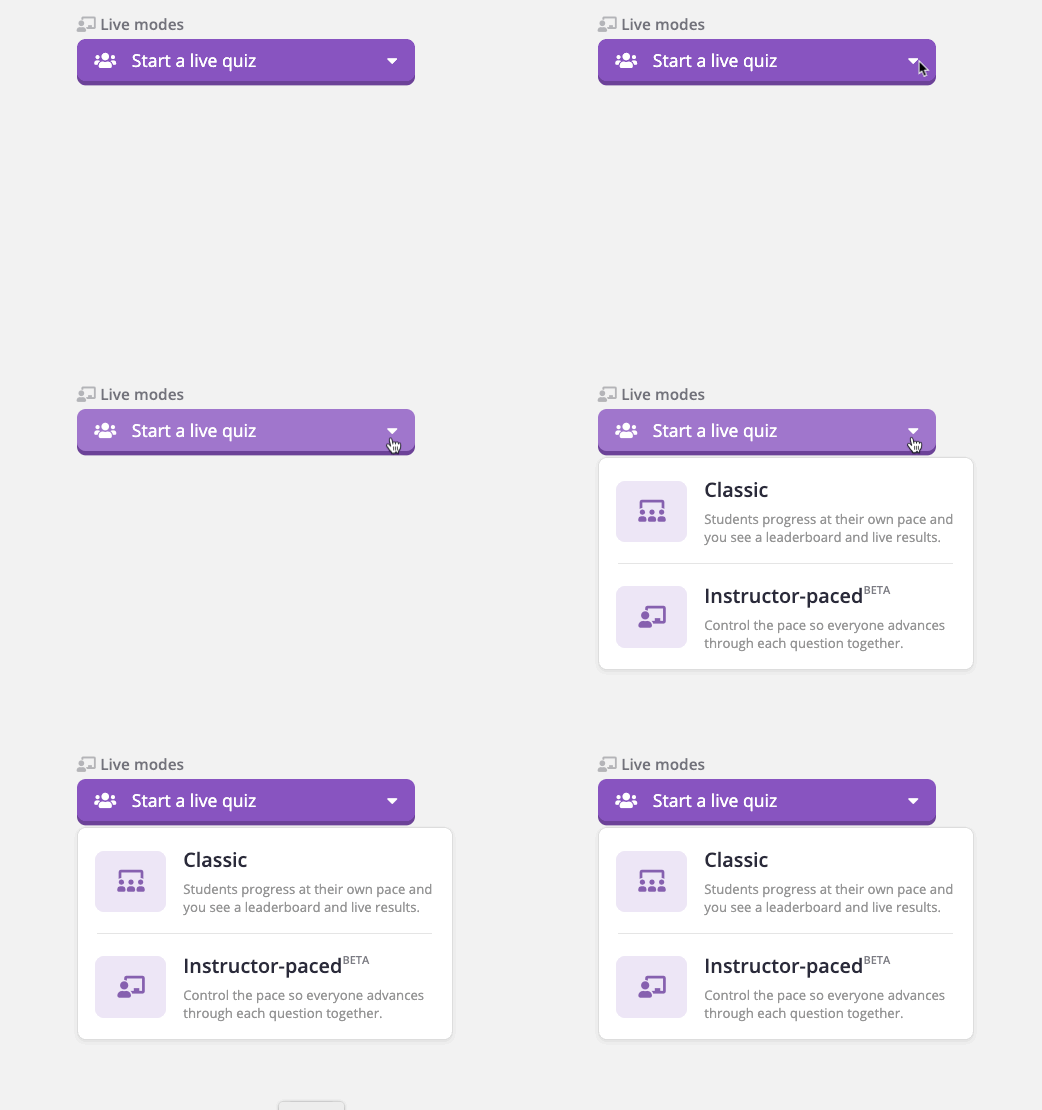
  • There also is an instructor-paced mode so that you can pause for discussion between questions.

Image for post

Ideas to jumpstart your first Quizizz:


  • Start a discussion with a poll question.

  • Create a quiz based on an engaging audio or video clip.

  • At the end of a lesson, use an open-ended question to gather feedback.

Here is a quick video on my class answering a Quizzizz question...


Positively Teaching,  
Randi Muehlen

Most Viewed Posts